Ragdoll Football Custom Numbers: Price & Setup Guide
Ragdoll Football custom numbers let you choose a jersey number from 1–99. Learn 100 Robux price, Gear menu steps, and how your choice carries into games.
Jump to

What Do Ragdoll Football Custom Numbers Do?
Put your favorite number on your jersey with Ragdoll Football custom numbers, a 100 Robux game pass that lets you choose from 1–99. Your selection stays with you every game until you change it, giving your player a consistent number across matches. To set up Ragdoll Football custom numbers, unlock the pass and choose your number in the Gear menu’s NUMBER tab.
That is the core appeal: control over the number you wear while you play. Whether you want to represent a favorite football player or stick with a personal favorite, the pass gives you a specific piece of your uniform to customize.
| Custom Numbers detail | What you get |
|---|---|
| Price | 100 Robux |
| Available numbers | 1–99 |
| Selection location | Gear menu, NUMBER tab |
| How long your selection lasts | Every game until you change it |
The price above reflects the game’s October 15, 2026 details. Check the purchase price displayed in Roblox before spending your Robux.
This guide covers the Roblox American football experience, where you throw passes, make tackles, and earn XP from big plays. Keep that distinction in mind when looking for controls: the similarly named browser soccer game has a different setup.
Your jersey number also has a different purpose from your overall rating. The number identifies your player’s uniform; OVR tracks progression from 60 to 99. Choosing 99 for your jersey and reaching 99 OVR are separate goals.
How to Set Your Custom Jersey Number
The customization path is short: Custom Numbers pass → Gear → NUMBER → your chosen number. Keep the pass name and tab name in mind so you can find the right option without sorting through helmet and visor choices.
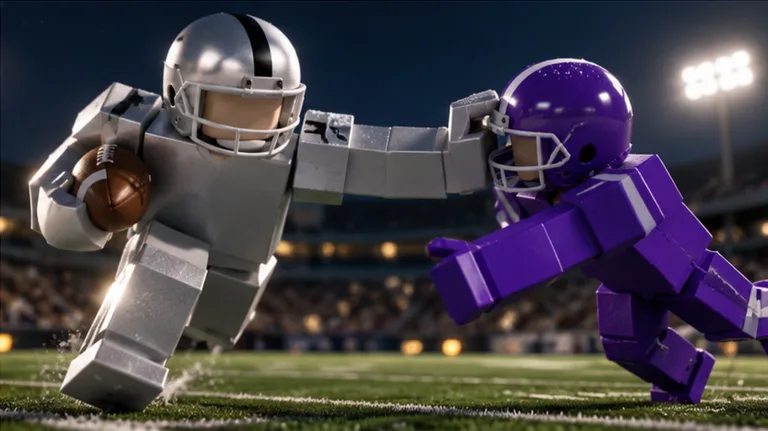 Image: Roblox / BloxyBricks
Unlock the Custom Numbers pass
Open Ragdoll Football on Roblox and choose the Custom Numbers game pass when you are ready to purchase it.
Check the item name and Robux amount before completing the purchase. The game also sells helmets, a Guardian Cap, and several visor colors, so match the purchase to the customization you actually want.
For Ragdoll Football custom numbers, the relevant purchase is the 100 Robux number pass. Buying a visor is a separate gear choice.
Choose your number in Gear
Once you have the pass:
- Open the Gear menu.
- Select the NUMBER tab.
- Pick a jersey number within 1–99.
Those are the menu names to look for. The number selection belongs in Gear, alongside the game’s other appearance options.
On Xbox and PlayStation, Y / Triangle opens menus. Use that menu control to begin navigating, then look for Gear and its NUMBER tab. Keep the general menu button separate from the on-field controls for jumping, diving, and throwing.
Keep it or change it later
Your selected number stays yours every game until you change it. You can carry the same choice into subsequent games without selecting it again each match.
To change your number later, return to the same Gear menu and NUMBER tab. Choose another number within the supported range.
Pick your number before settling into a drive so you can focus on the field once play starts. The setup is simple enough that you can make the choice, leave the menu, and get back to football.
Choose a Number You Want to Keep Wearing
Start with a number that means something to you. Use a favorite player’s jersey number, a personal favorite, or a number you already associate with your gaming identity, provided it falls within 1–99.
There is no need to chase a particular number for progression. Ragdoll Football awards XP for big plays and lets you climb from 60 to 99 OVR. Choose your jersey number for your uniform, then work on your rating through play.
Use these prompts to narrow down your choice:
- Represent a favorite player. Pick their number if it fits the supported range.
- Keep a familiar identity. Use a number your friends already associate with you.
- Match your football style. Choose a number you enjoy wearing while passing, receiving, or defending.
- Change it when you want a fresh look. Return to the NUMBER tab when another choice appeals to you.
Ragdoll Football custom numbers make the most sense when selecting your own number is part of the fun for you. Decide how much you care about that choice before buying the pass.
If you play with friends, use your jersey number as part of a clear callout. Say your number alongside your position on the field or the direction you are moving. Give the quarterback useful information about your route instead of repeatedly asking for the ball.
Keep watching coverage while communicating. Calling attention to your jersey number does not replace getting open, and a clear route gives your teammate something useful to throw toward.
Compare Custom Numbers With Other Gear
Custom Numbers sits among several paid appearance options. Before spending, decide which part of your player you want to customize: the jersey number, helmet, helmet covering, or visor.
| Gear option | Price | Customization |
|---|---|---|
| Custom Numbers | 100 Robux | Choose a jersey number from 1–99 |
| Guardian Cap | 260 Robux | Padded helmet covering in your team’s colors |
| Lewis Helmet | 300 Robux | Lewis Helmet |
| Individual visor colors | 50 Robux each | Selected helmet visor color |
The visor choices are Black, Red, Magenta, Purple, Blue, Pink, Clear, Green, and Orange. Each costs 50 Robux. The Guardian Cap follows your team’s colors, while Custom Numbers lets you choose the digits on your jersey.
For a straightforward price comparison, the number pass costs the same as two individual 50 Robux visors. Use that comparison to decide which purchase fits the look you want.
Buy Ragdoll Football custom numbers if choosing your own jersey number is your priority. Choose a visor if your goal is a particular visor color. Select the Guardian Cap if you want its padded helmet covering.
Keep each purchase tied to its specific customization. The number pass handles jersey numbers; the other options handle different pieces of gear.
You can also separate your shopping decision from your football goals. Settle on the appearance option you want, then return your attention to passing, positioning, and tackling. Your next interception or completed pass gives you something to work toward regardless of which gear you wear.
Put Your Number to Work on the Field
Once your jersey is set, learn the inputs that keep you involved in a play. Ragdoll Football custom numbers handle your uniform choice, while movement, throws, dives, and tackles are controlled during the game.
The throwing input is especially worth remembering: hold to aim, then release to throw. On PC that uses left click; on console it uses RT / R2.
| Action | PC | Xbox / PlayStation |
|---|---|---|
| Move | WASD | Left Stick |
| Jump | Space | A / Cross |
| Tackle, hike as quarterback, or kick | Left Click | RT / R2 |
| Aim and throw | Hold Left Click, then release | Hold RT / R2, then release |
| Dive or hand off | X | X / Square |
| Cancel a throw | X | LT / L2 |
| Take a knee for a touchback | V | B / Circle |
Several inputs depend on what your player is doing. Left click handles tackling, hiking as quarterback, and kicking on PC. X handles diving, handing off, and canceling a throw. Learn those shared functions before trying to react under pressure.
On mobile, use the left-side joystick to move. Tap for tackling, hiking, and kicking; hold still to aim a throw and lift to release it. The screen also includes JUMP and DIVE buttons. Drag to move the camera and pinch to adjust zoom.
Set a football goal alongside your gear goal
Big plays earn XP, and overall progression runs from 60 to 99. Give yourself a gameplay target after choosing your number so your next match has a clear purpose.
The game’s badges provide concrete challenges:
| Badge | Requirement |
|---|---|
| Pick 6 | Intercept a pass and return it for a touchdown |
| Hat Trick | Make 3 interceptions in one game |
| 300 Yards | Pass for 300 yards in one game |
| Anchor | Make 10 tackles in one game |
| 200 Yards | Gain 200 receiving yards in one game |
Pick a target that matches what you want to practice. Work toward passing yards while playing quarterback, receiving yards while catching passes, or tackles and interceptions on defense.
Pay attention to the single-game requirements. Hat Trick, 300 Yards, Anchor, and 200 Yards ask you to reach their totals within one game. Pick 6 requires both the interception and the touchdown return.
For passing practice, learn the aim-and-release input and the cancel button together. For defensive practice, keep the tackle and dive controls familiar. Tie your practice to a specific action instead of changing goals after every play.
Finish your jersey setup, choose your football objective, and concentrate on the next possession. Your number stays with you while you work toward the plays that build your overall.
FAQ
How much do Ragdoll Football custom numbers cost?
Ragdoll Football custom numbers cost 100 Robux in the October 15, 2026 game details. Check the amount shown in Roblox before completing your purchase.
Where do I change my jersey number?
Open Gear, then select the NUMBER tab. With the Custom Numbers pass, you can choose a jersey number from 1–99. Return to that tab whenever you want to change your selection.
Does my custom number stay between games?
Yes. Your chosen number stays yours every game until you change it. You do not need to select the same number again for each match.
Does picking 99 give me 99 OVR?
Your jersey number and overall rating are separate. Custom Numbers lets you choose the digits on your uniform. Earn XP from big plays to progress from 60 to 99 OVR.
Continue with
 Ragdoll Football Magenta Visor: Price and Gear GuideExplore the Ragdoll Football magenta visor, its 50 Robux price, other visor colors, and helmet options so you can plan your gear purchase with confidence.
More in Gear

Ragdoll Football Black Visor: Price and Gear Guide
Get the Ragdoll Football black visor for 50 Robux. Compare visor colors, check other gear prices, and learn the controls for your next game on Roblox now.

Ragdoll Football Red Visor: Price, Colors, and Gear
Get the Ragdoll Football red visor for 50 Robux. Compare helmet visor colors, understand what the pass unlocks, and brush up on basic football controls.
Ragdoll Football Game Passes: Prices and Gear Guide
Compare Ragdoll Football game passes, including visor colors, Custom Numbers, Guardian Cap, and Lewis Helmet prices, before spending your Robux on gear.
Ragdoll Football Helmets: Prices, Visors & Gear Guide
Explore Ragdoll Football helmets, Lewis Helmet and Guardian Cap prices, every visor color, and tackle controls to plan your gear purchases before kickoff.
Join the community
Official channels for news, updates and player help: