Ragdoll Football Lewis Helmet: Price and Gear Guide
Ragdoll Football Lewis Helmet costs 300 Robux. Compare helmet gear and visor prices, learn the controls, and set clear goals for your next football game.
Jump to
What Is the Ragdoll Football Lewis Helmet?
Got your eye on the Ragdoll Football Lewis Helmet before your next kickoff? It’s a game pass priced at 300 Robux, making it a purchase to weigh against the game’s other gear options. Start with the Ragdoll Football Lewis Helmet price, compare the alternatives, and leave room in your budget for any visor or jersey customization you also want.
As of October 15, 2026, Lewis Helmet sits alongside Guardian Cap, Custom Numbers, and a selection of colored visors in Ragdoll Football’s game pass lineup. That gives you several ways to spend Robux, depending on which part of your football outfit you want to change.
Keep the purchase decision straightforward: choose the gear you actually want to wear. For your on-field goals, focus on the game’s stated progression system: earn XP through big plays and climb from 60 to 99 OVR.
You can open Ragdoll Football on Roblox to access the experience. Check the current price before spending, especially if you’re returning after an update.
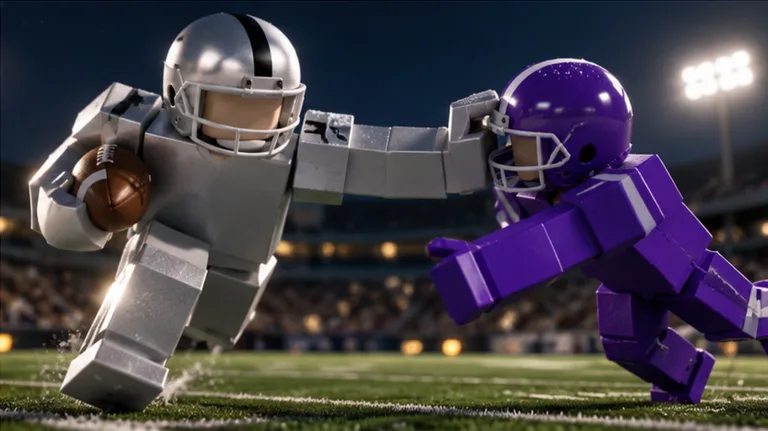
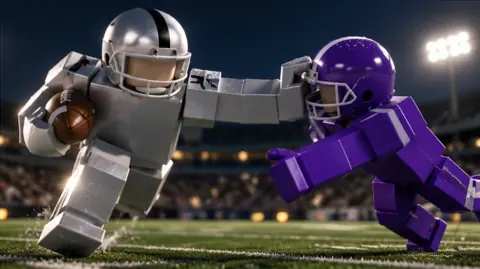
The football itself runs on physical contact. Tackles involve bodies colliding, grabbing, and dragging rather than a fixed tackle animation. Helmets can come off during those collisions, adding to the chaos when a defender finally catches a runner.
Keep your eyes on the football when that happens. The loose helmet is a distraction; the play still demands your attention.
Compare the Lewis Helmet With Other Gear
The Ragdoll Football Lewis Helmet costs more than the Guardian Cap, an individual visor, or Custom Numbers at the October 15 prices. Compare what each purchase offers before choosing where your Robux should go.
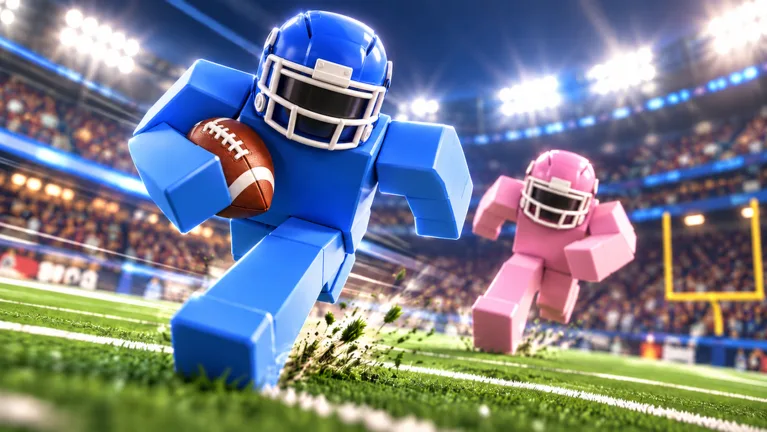 Image: Roblox / BloxyBricks
| Gear | Price | Item details |
|---|---|---|
| Lewis Helmet | 300 Robux | Helmet game pass |
| Guardian Cap | 260 Robux | Padded soft shell worn over the helmet in your team’s colors |
| Custom Numbers | 100 Robux | Choose a jersey number from 1–99 through the Gear menu’s NUMBER tab |
| Black Visor | 50 Robux | Black reflective helmet visor |
Guardian Cap has a specific appearance feature: its padded outer shell uses your team’s colors. Custom Numbers changes a different part of your outfit, letting you select your jersey number instead of buying helmet gear.
Your selected custom number stays with you each game until you change it. If a particular number is central to your football look, keep that option in mind while planning your purchases.
For the Lewis Helmet, make the helmet itself the reason you buy. Keep your gear shopping separate from your practice goals: throwing, tackling, and reading the field each require attention during a match.
Visor Colors and Prices
Every visor below costs 50 Robux. Pick the color you want before purchasing, especially when several similar shades catch your eye.
| Visor | Price |
|---|---|
| Black Visor | 50 Robux |
| Red Visor | 50 Robux |
| Magenta Visor | 50 Robux |
| Purple Visor | 50 Robux |
| Blue Visor | 50 Robux |
| Pink Visor | 50 Robux |
| Clear Visor | 50 Robux |
| Green Visor | 50 Robux |
| Orange Visor | 50 Robux |
The visor selection includes reflective options ranging from clear to bright colors. Treat each color as a separate shopping choice, and double-check the name before spending your Robux.
Before buying the Ragdoll Football Lewis Helmet, decide which purchase matters most to you:
- Choose the helmet if that’s the gear item you came for.
- Look at Guardian Cap if you want the padded shell in team colors.
- Consider Custom Numbers if choosing your jersey number matters to your outfit.
- Pick a visor color if the visor is the detail you want to change.
Keep the list short. Choose one clear priority before browsing the rest, so your purchase follows your own preference.
Learn the Controls Before Your Next Match
Once you’ve sorted out your Ragdoll Football Lewis Helmet purchase, turn your attention to the controls. Several buttons change function with your situation, so learning the action behind each input matters as much as memorizing the button.
On PC, left click handles tackling, hiking as quarterback, and kicking. Holding that same button lets you aim a throw; releasing sends the ball.
| Action | PC | Xbox / PlayStation |
|---|---|---|
| Move | WASD | Left Stick |
| Jump | Space | A / Cross |
| Tackle, hike as QB, or kick | Left Click | RT / R2 |
| Aim a throw | Hold Left Click | Hold RT / R2 |
| Release a throw | Release Left Click | Release RT / R2 |
| Dive or hand off | X | X / Square |
| Cancel a throw | X | LT / L2 |
| Take a knee for a touchback | V | B / Circle |
| Move the camera | Right Click + Drag | Right Stick |
| Zoom | Scroll | D-Pad Up / Down |
On console, Y / Triangle opens menus. Keep that separate from your live-play inputs so you can find customization options without confusing them with a football action.
Get Comfortable With Throwing and Canceling
Practice the hold-and-release sequence before trying to rush a pass. Hold to aim, look for your receiver, and release when you’re ready to throw.
If you want to abandon the attempt, use the cancel input. That’s X on PC and LT / L2 on console. Remember that PC’s X key also handles diving and handing off, so pay attention to what your player is doing.
Use your camera controls while reading the field. On PC, right click and drag to adjust the view; on console, use the right stick. Practice moving the camera without losing track of your own position.
Mobile Controls
Mobile uses touch controls for movement, camera handling, and football actions:
- Move with the joystick on the left.
- Tap to tackle, hike, or kick.
- Hold still to aim a throw, then lift to release it.
- Drag to adjust the camera.
- Pinch to change zoom.
- Use the JUMP and DIVE buttons for those actions.
Start by getting comfortable with movement and the camera together. Then work on the throwing gesture. Trying to learn every input during a crowded play can leave you watching the wrong part of the field.
Put Your Attention on Tackles, Passes, and Possession
The Ragdoll Football Lewis Helmet gives you a gear purchase to consider, while the game gives you plenty of football decisions to practice. Servers support up to 14 players, and a busy field can demand quick changes in attention.
Build your practice around one part of the game at a time. Use defensive possessions to work on tackle positioning, and use your opportunities on offense to focus on throwing or getting open.
Approach Tackles With Control
Use the tackle input as you close on the ball carrier. Watch the runner’s path and steer toward where you can make contact.
Avoid chasing every change of direction with a large movement of your own. Keep your approach deliberate, and leave yourself room to respond when the runner changes course. The game’s physical grabbing and dragging make staying engaged with the play worth practicing.
After a collision, look for the football immediately. A helmet coming off can pull your attention away from a runner who still needs to be stopped or a ball that has come loose.
Give Each Pass a Clear Target
When you have the ball as quarterback, choose a receiver before releasing. Hold the throw input to aim, then send the pass toward the player you intend to reach.
Use cancel when you decide against the throw. Practice that action alongside releasing so both inputs become familiar.
When you’re off the ball, move into space and keep track of the quarterback. Avoid crowding a teammate who is already trying to receive a pass. Give the passer a distinct target to look toward.
Stay With the Play After Contact
Football doesn’t stop being interesting once bodies hit the ground. Keep watching for possession changes, loose balls, and chances to support a teammate.
If you intercept a pass, look toward the return. Ragdoll Football has a badge specifically for taking an interception all the way to the end zone, so the catch is only part of that objective.
Keep your next action simple: locate the ball, identify who has it, and respond to the play in front of you.
Set Match Goals Beyond Your Gear Purchase
After choosing your Ragdoll Football Lewis Helmet, give yourself a football objective for the next game. Ragdoll Football rewards big plays with XP and includes badges for passing, receiving, tackling, and interceptions.
The OVR progression runs from 60 to 99. Use that longer-term climb alongside individual match goals, rather than letting a gear purchase become your only reason to log in.
| Badge | Requirement |
|---|---|
| Pick 6 | Intercept a pass and return it for a touchdown |
| Hat Trick | Record 3 interceptions in one game |
| 300 Yards | Record 300 passing yards in a single game |
| Anchor | Record 10 tackles in a single game |
| 200 Yards | Record 200 receiving yards in a single game |
Choose a badge that matches the actions you want to practice. For Anchor, focus your attention on tackling. For 300 Yards, work on your passing opportunities. For 200 Yards, concentrate on getting into receiving positions and tracking the ball.
Pay attention to the wording of each requirement. Hat Trick, Anchor, and both yardage badges require their totals within a single game. Pick 6 asks for a complete interception return touchdown.
Use those conditions to keep your goal specific. “Work toward Anchor” gives your defensive possessions a clear purpose. “Practice passing toward 300 Yards” gives you something concrete to pursue when you get quarterback opportunities.
Keep the match objective and the shopping decision distinct in your own planning. Pick the gear you want, learn your platform’s controls, and spend your possessions practicing the football actions you enjoy.
FAQ
How much does the Ragdoll Football Lewis Helmet cost?
The Lewis Helmet game pass costs 300 Robux as of October 15, 2026. Check the current price before purchasing through Roblox.
How much does Guardian Cap cost?
Guardian Cap costs 260 Robux. It adds a padded soft shell over your helmet, and that shell uses your team’s colors.
Can you choose your own jersey number?
Yes. The Custom Numbers game pass costs 100 Robux and lets you select a number from 1–99 in the Gear menu’s NUMBER tab. Your choice stays with you each game until you change it.
What are the tackle and throw controls?
On PC, left click tackles; hold left click to aim a throw and release to throw. On Xbox or PlayStation, use RT / R2 to tackle, or hold and release that trigger to aim and throw. On mobile, tap to tackle, then use hold still and lift for aiming and throwing.
Continue with
 Ragdoll Football Game Passes: Prices and Gear GuideCompare Ragdoll Football game passes, including visor colors, Custom Numbers, Guardian Cap, and Lewis Helmet prices, before spending your Robux on gear.
More in Gear
See all GearPopular pages
Ragdoll Football Beginner Guide: Controls and Winning Tips
This Ragdoll Football beginner guide covers PC, mobile, and console controls, smarter tackles, passing tips, and the basics of earning XP. Hit the field!
Ragdoll Football Camera Controls: PC, Mobile & Console
Learn Ragdoll Football camera controls for PC, mobile, and console, including how to rotate the view, adjust zoom, and keep the ball in sight during plays.

Ragdoll Football Cancel Throw: PC and Console Guide
Learn Ragdoll Football cancel throw controls on PC, Xbox, and PlayStation, plus practical quarterback tips for reading coverage and avoiding rushed passes.
Ragdoll Football Diving: Controls and Defensive Tips
Master Ragdoll Football diving controls on PC, mobile, and console. Learn how to time your approach, line up tackles, and defend without overcommitting.
Join the community
Official channels for news, updates and player help: