Ragdoll Football Passing: Controls and Smarter Throws
Improve your Ragdoll Football passing with PC, mobile, and console controls, smarter reads, and practical tips to avoid interceptions and move the chains.
Jump to
How Ragdoll Football Passing Works
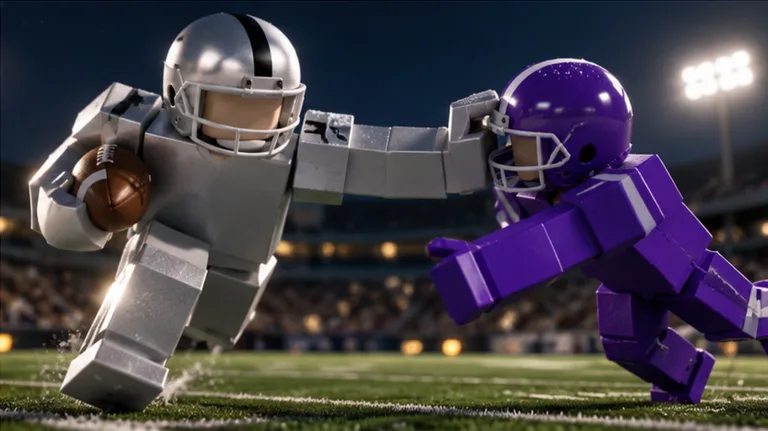
A receiver calling for the ball can still have a defender waiting underneath. Ragdoll Football passing starts with holding your throw input to aim and releasing it to send the ball, but choosing the target matters just as much. Build your Ragdoll Football passing around clear throwing lanes so you can move the offense without handing the defense an interception.
The throwing sequence depends on your platform:
| Platform | Hike as quarterback | Aim the throw | Throw the ball |
|---|---|---|---|
| PC | Left Click | Hold Left Click | Release Left Click |
| Mobile | Tap | Hold still | Lift your touch |
| Xbox / PlayStation | RT / R2 | Hold RT / R2 | Release RT / R2 |
On PC and console, separate the hike from the throwing action in your mind. A click or trigger press handles the snap when you are the quarterback; holding the throwing input brings you into aiming, and releasing sends the pass.
Start by getting comfortable with that sequence before chasing difficult completions. Pick a visibly open teammate, aim deliberately, and release while the opportunity is still there. Avoid rushing through the controls just because someone is shouting for a deep ball.
Use this basic sequence on each passing play:
- Locate your receivers before committing to a throw. Give yourself somewhere to look once the play starts.
- Check the nearby defenders. Look beyond the teammate’s jersey and examine the space around the target.
- Hold the appropriate input to aim. Keep watching the receiver while you prepare the pass.
- Release for the throw. Make the decision while the lane is open.
Keep the early goal simple: finish the input sequence intentionally and choose a target you can actually see.
Read the Defense Before Picking a Receiver
Ragdoll Football passing gets harder when you confuse distance from the quarterback with separation from a defender. A teammate far downfield can still be tightly covered. A closer receiver with open space deserves your attention, especially when the deep target has multiple defenders nearby.
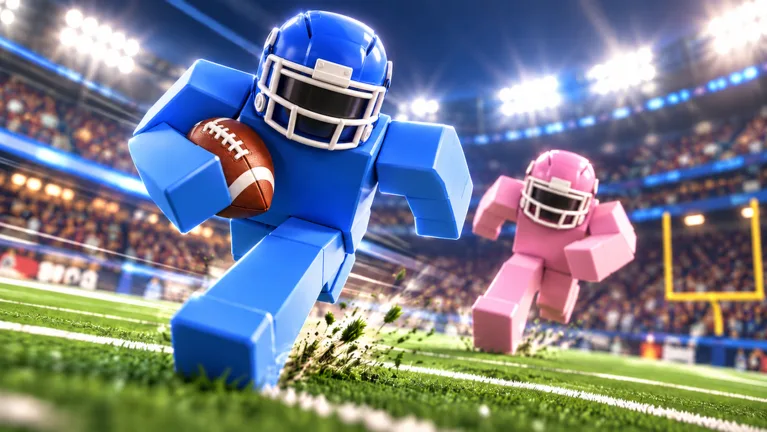 Image: Roblox / BloxyBricks
Before releasing, check three things: the receiver’s immediate space, the defender between you and the target, and any second defender closing toward the play. Make those checks part of your routine instead of staring at one teammate from the snap onward.
Look at the Throwing Lane
A receiver can appear open while a defender occupies the path to the ball. Before throwing, trace that path with your eyes. If an opponent is sitting between you and your teammate, look elsewhere or wait for a clearer opportunity.
Be particularly careful around a defender who seems to be leaving someone uncovered. Watch the defender’s position rather than assuming the open jersey means a free completion. Interceptions are part of this game, and a defender does not need to stand directly beside your intended target to threaten the pass.
Move Away From Double Coverage
When two defenders are surrounding your preferred receiver, scan another part of the field. Avoid forcing the pass simply because that teammate was your original choice.
Give yourself a primary target and another receiver to check. If the first option gets crowded, move your attention promptly. Stay flexible enough to change your decision before releasing.
For example, when a receiver calling for the ball has two opponents nearby, check whether another teammate has a cleaner lane. Choose based on the coverage you can see, rather than the loudest request.
Match the Decision to the Situation
On fourth down, pay attention to the distance needed for a first down. Look for a realistic conversion opportunity instead of automatically chasing the end zone.
Near the goal line, inspect the end-zone coverage before committing. A pass into a crowded scoring area can become an interception, and an interception returned for a touchdown earns the defender the Pick 6 badge.
Make disciplined target selection the foundation of your Ragdoll Football passing. Spectacular attempts can wait until you recognize which opportunities are worth taking.
Set Your Camera and Keep the Play Visible
Before working on difficult throws, adjust your view so you can follow receivers and approaching defenders. Ragdoll Football gives each platform camera controls alongside movement and jumping.
| Platform | Movement | Camera | Zoom | Jump |
|---|---|---|---|---|
| PC | WASD | Right Click + Drag | Scroll | Space |
| Mobile | Left-side joystick | Drag | Pinch | JUMP button |
| Xbox / PlayStation | Left Stick | Right Stick | D-Pad Up/Down | A / Cross |
Use those controls to keep useful information on screen. Adjust the camera when your target moves out of view, and check the area around your quarterback before settling into an extended aim.
Avoid spending the entire play watching a receiver while losing track of nearby pressure. Alternate your attention between the target area and the defenders approaching you. If the camera angle makes that difficult, reposition the view before committing to the pass.
For Ragdoll Football passing practice, choose a view that lets you identify teammates without hiding the action around the ball. Use the available zoom controls to find a comfortable balance between seeing the wider field and following individual players.
Movement also deserves deliberate practice. Use WASD, the joystick, or the left stick to reposition while watching how the field changes around you. Keep the next receiver in mind as you move, rather than wandering until a defender reaches you.
Keep camera adjustments purposeful. Once the play is visible, return your attention to the coverage and the throwing decision.
Fix Rushed Throws, Hesitation, and Forced Passes
A missed completion deserves a specific correction. Before changing everything about your throwing, ask whether the problem was the target, the timing of your decision, or the input itself.
Stop Releasing Into a Closed Lane
Once a defender moves into your intended passing lane, reconsider the throw. On PC and console, you have a dedicated way to cancel while aiming.
| Platform | Cancel throw input |
|---|---|
| PC | X |
| Xbox / PlayStation | LT / L2 |
Use cancellation when the pass you were preparing no longer looks available. Recheck the field before beginning another attempt.
Pay attention to context on PC: X also handles diving and handing off. On console, X / Square handles diving and handing off, while LT / L2 cancels the throw. Keep those actions distinct when switching between platforms.
Make a Decision Before Pressure Arrives
Sacks and fumbles can interrupt an offense that holds the ball too long. Avoid spending the whole play waiting for one receiver to escape coverage.
Choose your initial target, check the lane, then move to another option if the opportunity closes. Keep that progression short enough to remain aware of the defenders approaching your quarterback.
When you decide to run, watch the tackle threat and available space. Avoid drifting around simply because you have stopped looking for a pass. Make the next action deliberate.
Separate Input Problems From Coverage Problems
If you are still holding the throwing input, you are still aiming. Release it to complete the throwing sequence.
If the ball goes toward a receiver surrounded by defenders, review the decision before assuming the controls failed. Ask whether you overlooked an opponent or stayed focused on the same target too long.
Improve your Ragdoll Football passing by fixing the mistake you actually made. Practice the hold-and-release sequence when inputs feel awkward; practice scanning when your attempts keep going toward covered teammates.
Give Receivers Room to Work
Receivers can get blocked or crowded during a play. Watch their movement before releasing, especially when an opponent is directly in their path.
If you are playing receiver yourself, work toward open space and avoid gathering beside another teammate. Give the quarterback a distinct target to evaluate. Calling for the ball helps communication, but keep checking whether a defender has followed you into the intended receiving area.
Practice Completions Before Chasing Passing Yards
Build a repeatable routine for Ragdoll Football passing instead of judging every session by the longest throw. Focus on a specific part of the play, then carry that improvement into your next possession.
Start with the throwing input. Aim and release deliberately until the sequence feels familiar. Next, concentrate on finding a receiver with visible separation. Once you are comfortable doing both, add a second target to your scan.
Keep these practice priorities in order:
- Control: Complete the aim-and-release action intentionally.
- Awareness: Notice defenders near both the receiver and the passing lane.
- Decision: Change targets when coverage closes.
- Pressure: Check approaching tacklers before holding the ball longer.
- Communication: Identify yourself clearly when asking for a pass.
A jersey number can help you tell teammates which player you are. Keep requests brief so the quarterback can watch the field rather than sort through repeated demands for the ball.
The game includes individual performance badges that connect directly to the passing game:
| Badge | Requirement |
|---|---|
| 300 Yards | Record 300 passing yards in a single game |
| 200 Yards | Record 200 receiving yards in a single game |
| Pick 6 | Intercept a pass and return it for a touchdown |
| Hat Trick | Record 3 interceptions in one game |
Use the 300 Yards badge as a longer-term passing target. Build toward it through sensible opportunities rather than forcing every attempt downfield. The defensive badges are a useful reminder to inspect coverage before release.
Ragdoll Football awards XP for big plays and includes progression from 60 to 99 OVR. Keep your Ragdoll Football passing practice centered on decisions you can repeat: identify space, aim with purpose, and release before that opportunity disappears.
Head into Ragdoll Football on Roblox with one habit to practice during your next turn at quarterback.
FAQ
How do you throw a pass in Ragdoll Football on PC?
Hold Left Click to aim, then release Left Click to throw. Left Click also hikes the ball when you are the quarterback. Press X to cancel a throw while aiming.
What are the Ragdoll Football passing controls on console?
Hold RT on Xbox or R2 on PlayStation to aim, then release the trigger to pass. RT / R2 also handles hiking as quarterback. Use LT / L2 to cancel the throw.
How do you pass on mobile?
Tap to hike as quarterback, hold still to aim, and lift your touch to throw. Use dragging to adjust the camera and pinching to change the zoom while setting up your view.
How do you earn the 300 Yards badge?
Record 300 passing yards in a single game. Work toward the requirement by choosing open receivers and checking throwing lanes. Avoid forcing passes into double coverage just to chase a longer gain.
Continue with
 Ragdoll Football Touchback: Controls and Smarter PlaysLearn Ragdoll Football touchback controls on PC, Xbox, and PlayStation, then sharpen your return decisions, ball security, and next offensive possession.
More in Offense
Ragdoll Football Cancel Throw: PC and Console Guide
Learn Ragdoll Football cancel throw controls on PC, Xbox, and PlayStation, plus practical quarterback tips for reading coverage and avoiding rushed passes.
Ragdoll Football Catching Guide: Routes and Controls
Improve your Ragdoll Football catching with receiver positioning, camera controls, route tips, and smarter decisions after the catch. Get set for kickoff.
Ragdoll Football Handoff: Controls and Running Tips
Learn Ragdoll Football handoff controls on PC and console, understand shared buttons, and plan cleaner running plays with practical tips for your game.
Ragdoll Football Hiking: Snap Controls and QB Tips
Learn Ragdoll Football hiking controls on PC, mobile, and console, then sharpen your snap timing, passing decisions, and teamwork before your next drive.
Join the community
Official channels for news, updates and player help: