
Ragdoll Football Handoff: Controls and Running Tips
Learn Ragdoll Football handoff controls on PC and console, understand shared buttons, and plan cleaner running plays with practical tips for your game.
Jump to

How to Hand Off in Ragdoll Football
The Ragdoll Football handoff button is X on PC, X on Xbox, and Square on PlayStation. Learning the Ragdoll Football handoff matters because those buttons also control diving, while PC players use X to cancel a throw, too. Get those inputs straight before calling a run, then give your ball carrier a clear plan for where to go.
Here are the handoff bindings for keyboard and controllers:
| Platform | Handoff input | Other actions sharing that input |
|---|---|---|
| PC | X | Dive and cancel throw |
| Xbox | X | Dive |
| PlayStation | Square | Dive |
Pay attention to the Xbox button name: X means the X button on an Xbox controller. On PlayStation, the handoff command is Square; Cross is the jump button.
Start by deciding who will carry the ball. Tell that teammate which direction you intend to run, and make sure the rest of the offense understands the call. In a game built around physical tackles, grabs, and dragging, everyone needs a job once the ball moves.
Keep the opening call straightforward. Pick a direction, identify the runner, and ask teammates to help block. Leave the elaborate adjustments for after your group understands the basic assignment.
The shared controls deserve particular attention. Remember that X handles several actions on keyboard, and recognize when you are aiming a pass. Knowing the binding is the starting point; keeping track of what you are doing with the ball makes the whole possession easier to manage.
Official page: Ragdoll Football (roblox.com)
Learn the Inputs Around the Handoff
Your Ragdoll Football handoff controls sit inside a broader set of quarterback and movement inputs. Learn them together so you can hike, recognize pressure, cancel a passing attempt, and move without searching for the right button.
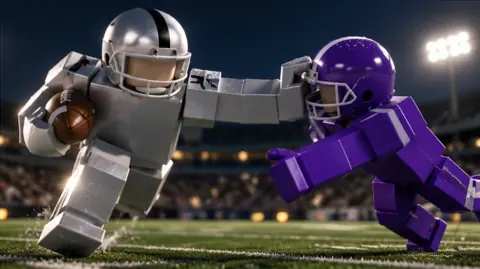
 Image: Roblox / BloxyBricks
The keyboard and controller layouts use different cancellation commands:
| Action | PC | Xbox | PlayStation |
|---|---|---|---|
| Move | WASD | Left Stick | Left Stick |
| Hike as quarterback | Left Click | RT | R2 |
| Aim a throw | Hold Left Click | Hold RT | Hold R2 |
| Release a throw | Release Left Click | Release RT | Release R2 |
| Cancel a throw | X | LT | L2 |
| Dive / hand off | X | X | Square |
| Jump | Space | A | Cross |
Separate passing decisions from running decisions
On PC, holding Left Click aims a throw, and releasing it throws the ball. X also serves as the throw-cancel command. Keep that sequence in mind when you change your decision after starting to aim.
On console, canceling a throw has its own trigger: LT on Xbox or L2 on PlayStation. Dive and handoff remain on X or Square.
Decide what you want to attempt before working through the inputs. If you have called a running play, communicate that clearly. If you start looking for a receiver instead, keep your teammates informed so the runner and blockers can respond.
Set your camera before the play
Use a view that lets you follow the backfield and the defenders approaching it. PC players adjust the camera with Right Click and drag, then use the scroll wheel to zoom. Console players use the Right Stick for the camera and D-Pad Up or Down for zoom.
Make those adjustments before the hike whenever possible. Keep the ball carrier and nearby traffic visible, especially when several players gather around the quarterback. A useful view should help you answer a simple question: where is the space to run?
Build the Running Play Around Your Blocks
A Ragdoll Football handoff needs a destination. Give the runner a direction and give the rest of the offense something useful to do once the play begins.
Ragdoll Football uses physics-driven contact, including hits, grabs, and dragging. Blocking and tackling can turn a crowded area into a difficult place to navigate. Read the space around your teammates instead of staring only at the end zone.
Use these assignments to organize a simple running call:
| Offensive role | Task to communicate |
|---|---|
| Quarterback | Name the intended runner and call the direction |
| Intended runner | Follow the call and watch for an opening |
| Blocking teammate | Help clear the runner’s path through nearby defenders |
| Other teammates | Leave the runner room to move and communicate pressure |
These are planning tips for your offense. Keep the assignments short enough that teammates can remember them while the play is moving.
Follow the opening you can see
Look ahead of the ball carrier. If teammates are blocking in front of you, watch how that contact changes the available space. Aim your movement toward an opening rather than steering directly into a defender.
Avoid deciding that every run must reach the sideline. Read the actual positioning on the field. An outside route still needs space, and an inside route still needs a way through the traffic.
Keep your adjustments purposeful. Use movement to respond to defenders, and stay aware of the teammates trying to help you. Changing direction without looking can send you straight back into the crowd you were trying to escape.
Keep helping after the ball moves
If your teammate has the ball, look for an opportunity to block. Watch the defender approaching the runner and move to support the play.
Communicate useful information, such as pressure arriving from one side or an opening ahead. Keep the call brief. The runner already has movement, contact, and the ball to track.
For the ball carrier, remember the objective: advance the possession. Take the space available and keep reading the field as the play develops.
Avoid Backfield Mistakes That Disrupt the Run
The Ragdoll Football handoff is one part of an offensive possession. Confused assignments, forgotten inputs, and defenders reaching the backfield can disrupt the plan before the runner finds space.
Call the play before hiking
Use a short call that identifies the runner and direction. Make sure the intended ball carrier knows the plan before the quarterback starts the play.
Ask blockers to acknowledge the direction, too. A running call becomes much harder to coordinate when the runner heads one way while teammates prepare somewhere else.
Keep the conversation focused on the immediate play. You can discuss a different formation or passing idea between possessions; the current call needs a clear assignment.
Keep track of the shared button
The keyboard X key covers dive, handoff, and throw cancellation. Xbox X and PlayStation Square cover dive and handoff.
Learn those overlapping assignments deliberately. Before pressing the button, keep track of whether you are controlling the ball, aiming a throw, or moving into contact. Avoid building your entire understanding around the idea that X always means the same action.
If an attempt becomes confusing, review what you were doing immediately beforehand. Start with the controls you used, then the movement around you. That gives you a practical starting point for the next attempt.
Respond to pressure before the backfield gets crowded
Watch defenders approaching the quarterback. Call out pressure early and keep teammates aware of where contact is developing.
Sacks, tackles, interceptions, and fumbles all feature in Ragdoll Football. Keep possession in mind when deciding whether to continue a play or change your intention. If you begin aiming a throw and want to cancel, use the correct cancellation input for your platform.
Avoid holding a long discussion while defenders close in. Make the running call before the hike, then communicate only the changes that matter.
Use jumps and dives with a purpose
Jump and dive are separate controls: Space and X on PC, A and X on Xbox, or Cross and Square on PlayStation.
Learn where each sits under your fingers. When practicing movement, focus on the action you intend to perform. Keep your attention on the defender and the space ahead instead of pressing several movement commands without a plan.
Practice a Repeatable Handoff Routine
Turn your Ragdoll Football handoff practice into a sequence you can review. Work on the controls, the call, and the running decision separately before trying to coordinate everything under pressure.
Use this checklist to keep each attempt focused:
| Practice focus | What to do | What to review afterward |
|---|---|---|
| Button familiarity | Locate handoff, jump, hike, and throw cancellation | Did you remember each binding? |
| Play call | Name the runner and intended direction before hiking | Did everyone understand the assignment? |
| Camera control | Frame the backfield and nearby defenders | Could you follow the developing play? |
| Running decision | Look for space around the blocking | Did you move toward an opening? |
| Team support | Ask teammates to watch pressure and help block | Did the runner have useful support? |
Begin with controls. On keyboard, rehearse the distinction between clicking to hike, holding to aim, releasing to throw, and using X for its shared actions. On controller, locate the separate throw-cancel trigger as well as the handoff button.
Next, rehearse the communication. Agree on the runner and direction before starting. Keep the call consistent while your group learns the assignment.
Then review the running decision. Look at where defenders were positioned and where teammates were blocking. Ask whether you followed an opening or ran toward contact without checking the space ahead.
Change one part of the plan at a time. Adjust the direction, clarify a blocking assignment, or improve your camera view, then review that change on the next possession.
Keep practicing with a clear purpose. A useful repetition teaches you something specific about the controls or the play, even when the run ends in a tackle.
FAQ
What is the Ragdoll Football handoff button on PC?
Press X for the Ragdoll Football handoff command on PC. The same key also handles diving and canceling a throw, so learn all three assignments together.
How do you hand off on Xbox and PlayStation?
The handoff binding is X on Xbox and Square on PlayStation. Both buttons also handle diving. PlayStation Cross and Xbox A are the jump buttons.
How do you cancel a throw before changing your plan?
Use X on PC, LT on Xbox, or L2 on PlayStation to cancel a throw. Holding Left Click, RT, or R2 aims a pass; releasing that input throws it.
What should teammates do during a running play?
Call the runner and direction before the hike, then help block and communicate approaching defenders. Give the ball carrier room to move, and watch the developing contact so your support follows the play.
Continue with
 Ragdoll Football Hiking: Snap Controls and QB TipsLearn Ragdoll Football hiking controls on PC, mobile, and console, then sharpen your snap timing, passing decisions, and teamwork before your next drive.
More in Offense

Ragdoll Football Cancel Throw: PC and Console Guide
Learn Ragdoll Football cancel throw controls on PC, Xbox, and PlayStation, plus practical quarterback tips for reading coverage and avoiding rushed passes.
Ragdoll Football Catching Guide: Routes and Controls
Improve your Ragdoll Football catching with receiver positioning, camera controls, route tips, and smarter decisions after the catch. Get set for kickoff.
Ragdoll Football Kicking Guide: Controls and Key Tips
Learn Ragdoll Football kicking controls on PC, mobile, and console. Get practical tips for kick situations, camera setup, and avoiding input mistakes.
Ragdoll Football Passing: Controls and Smarter Throws
Improve your Ragdoll Football passing with PC, mobile, and console controls, smarter reads, and practical tips to avoid interceptions and move the chains.
Join the community
Official channels for news, updates and player help: