Ragdoll Football Catching Guide: Routes and Controls
Improve your Ragdoll Football catching with receiver positioning, camera controls, route tips, and smarter decisions after the catch. Get set for kickoff.
Jump to
How to Improve Ragdoll Football Catching
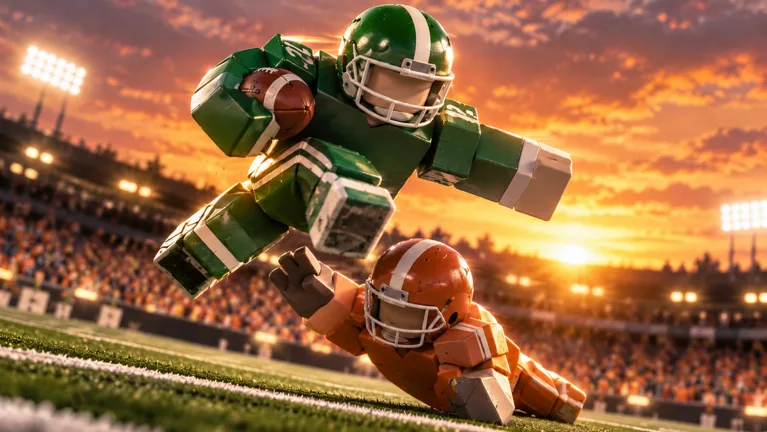
An open route means little when you lose track of the pass. Build your Ragdoll Football catching around clear sightlines, space from defenders, and controlled movement toward the ball. Ragdoll Football catching matters because completing the reception gives your offense a chance to turn an opening into receiving yards.
Start with the whole play: where your quarterback is, where the defense is moving, and where you have room to receive. Before the throw, create an accessible target. After the throw, follow the ball instead of continuing blindly downfield.
This is physics-based football. Bodies collide, grab, and drag rather than playing through a fixed tackle animation. Give yourself space to work, especially when a defender is close enough to disrupt your route.
Use this sequence as your receiving checklist:
- Adjust your camera until you can see the quarterback and your route.
- Move into open space without crowding another receiver.
- Track the actual throw once the ball leaves the quarterback.
- Adjust your path toward the incoming pass.
- Once you have possession, look for space and teammate blocks.
Keep those jobs separate. Looking for a touchdown before securing the reception pulls your attention away from the immediate task. Handle the pass first, then decide where to run.
Learn the Movement and Camera Controls
Ragdoll Football catching starts with movement you can manage comfortably. Learn to move, turn the camera, and jump without having to stop and think about the inputs.
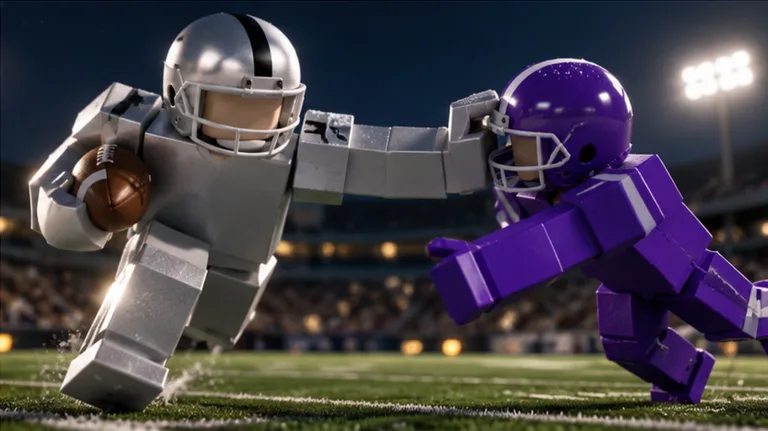 Image: Roblox / BloxyBricks
The PC, mobile, and console layouts give you different ways to control the same basic actions:
| Action | PC | Mobile | Xbox / PlayStation |
|---|---|---|---|
| Move | WASD | Left-side joystick | Left Stick |
| Jump | Space | JUMP button | A / Cross |
| Dive | X | DIVE button | X / Square |
On PC, X also handles handoffs and canceling throws. On console, X / Square also handles handoffs, while LT / L2 cancels a throw. Keep those context-dependent actions in mind when switching between receiver and quarterback.
For throwing, hold Left Click on PC to aim, then release to throw. Console uses RT / R2 the same way. Mobile uses a stationary hold to aim and a lift to release.
Knowing the quarterback’s inputs helps you understand the other side of a passing play. Keep your route readable while your teammate aims, and avoid changing direction simply because the ball has not arrived yet.
Set a View You Can Follow
Camera control deserves its own practice. A receiver needs to locate the throw and nearby defenders without losing track of their own movement.
| Camera action | PC | Mobile | Xbox / PlayStation |
|---|---|---|---|
| Rotate the view | Right Click + Drag | Drag | Right Stick |
| Adjust zoom | Scroll | Pinch | D-Pad Up / Down |
Adjust your zoom before the action becomes crowded. Choose a view that lets you follow your player while keeping enough surrounding field visible to read the play.
Practice turning the camera while moving along a simple path. Then practice finding the quarterback again without abandoning that path. Keep the exercise focused on control rather than trying to make a spectacular reception immediately.
Use jumping and diving deliberately. Practice ordinary movement first, then add those actions individually so you can judge your positioning without several inputs competing for your attention.
Create Space Before Tracking the Throw
Give the quarterback somewhere useful to throw. Calling for the ball while standing among defenders leaves your teammate with a crowded target.
For Ragdoll Football catching, work on separation before demanding the pass. Look for an open section of field, then move into it with a route your quarterback can follow.
Keep Your Route Readable
Choose a direction and give the passer time to recognize it. Avoid weaving back and forth just to stay busy.
For example, if you move toward open space on the right, keep watching the quarterback as you continue. Once the throw comes, adjust to its actual path. Do not keep running toward your original destination when the ball is traveling somewhere else.
Use changes of direction with a purpose:
- Move away from a defender who is crowding your route.
- Leave space between yourself and another receiver.
- Present a visible target instead of disappearing into traffic.
- Follow the pass once it is airborne.
Treat these as positioning goals, not a preset route combination. Read the field in front of you and choose the movement that addresses it.
Respect Contact and Double Coverage
Physical contact is part of the game’s design. Do not plan every reception around running straight through a defender.
If two defenders follow you, look for space away from their shared coverage. Give your quarterback another angle instead of repeatedly requesting the same crowded throw. When the pass goes elsewhere, shift your attention to helping the teammate who receives it.
Keep your expectations tied to the play. An accurate-looking pass still leaves you with work to do when defenders occupy the receiving area. Prepare your position before the ball arrives.
Make Smaller Adjustments Near the Pass
Ragdoll Football catching practice should include the transition from running a route to approaching the ball.
Follow the flight, then make the movement needed to meet it. Avoid adding an unnecessary turn or jump simply because the pass is close. Keep your attention on where the ball is going.
If you lose sight of it, correct the camera instead of guessing. Use your next opportunity to start with a clearer angle so you have less camera work to do during the throw.
Turn Receptions Into Useful Yardage
Once you have possession, switch from tracking the ball to reading the field. Look ahead for open ground, defenders, and teammates who can block.
Ragdoll Football catching is only part of a receiving play. Your next decision determines how you use the opportunity you just created.
Start by identifying the nearest immediate threat. Then choose a direction that gives you room to move. Avoid turning directly back into the same crowded area you worked to escape.
Use Your Teammates
Watch for blocks and run toward the space they create. Give a teammate room to engage a defender rather than crowding the contact yourself.
If another receiver catches the pass, help that player. Look ahead of the ball carrier and move toward a useful blocking position. Stay involved even when the quarterback chooses someone else.
Treat receiving and blocking as connected jobs. Your route matters before the throw; your support matters when a teammate has the ball.
Give Every Move a Purpose
Keep your attention on the next defender instead of adding turns for their own sake. Move toward space, then reassess as the play develops.
The game includes jumping and diving, but build your running decisions around the field position you can see. Learn how your movement feels before trying to combine every available action.
Use these reminders to keep your decisions focused:
| Situation | Next action |
|---|---|
| A defender crowds your route | Seek space before asking for the pass. |
| Another receiver enters your area | Separate your routes and leave a clearer target. |
| The throw travels away from your route | Follow the ball’s path and adjust your movement. |
| A teammate receives the pass | Look ahead for a useful blocking position. |
| You gain possession near traffic | Identify open ground before choosing your next turn. |
Keep the objective simple: make the reception useful to the offense. Take available space instead of forcing every touch into a highlight attempt.
Practice With Clear Receiving Goals
Give each Ragdoll Football catching session a specific focus. Work on camera control, route spacing, or tracking the throw rather than trying to improve everything at once.
Start with a manageable route and keep your attention on the quarterback. Once following the throw feels comfortable, practice dealing with closer coverage and more crowded receiving areas.
Review the Decision Behind a Miss
After an unsuccessful play, identify the earliest decision you could change.
Did you lose sight of the ball? Start the next route with a clearer camera angle. Did you run into coverage? Look for space earlier. Did you continue downfield after the throw went elsewhere? Shift your attention to the ball as soon as it leaves the passer.
Change one part of your approach, then watch what happens. Avoid responding to every miss by adding more jumping, diving, or direction changes.
Use a short mental checklist between plays:
- Could I see the quarterback?
- Did I leave room between myself and other receivers?
- Did I track the throw?
- What useful action followed possession?
Understand the Game’s Stated Goals
Ragdoll Football awards XP for big plays and features progression from 60 to 99 OVR. It also includes badges for receiving, passing, tackling, and interceptions.
| Badge | Requirement |
|---|---|
| 200 Yards | Record 200 receiving yards in a single game. |
| 300 Yards | Record 300 passing yards in a single game. |
| Pick 6 | Intercept a pass and return it for a touchdown. |
| Hat Trick | Record 3 interceptions in one game. |
| Anchor | Record 10 tackles in a single game. |
Use 200 Yards as a concrete receiving objective. Focus on creating repeated opportunities: get open, follow the pass, and look for usable space after possession.
Keep your practice grounded in those decisions. Enter Ragdoll Football on Roblox with one receiving skill to work on, then carry that focus through your next game.
FAQ
What should I practice first for Ragdoll Football catching?
Start with movement and camera control. Keep the quarterback visible, create room away from defenders, and follow the actual throw. Practice those tasks together before adding extra jumps or dives.
What are the jump and dive controls?
On PC, press Space to jump and X to dive. Mobile has JUMP and DIVE buttons. On console, use A / Cross to jump and X / Square to dive.
How do I keep the ball in view?
Use Right Click + Drag on PC, dragging on mobile, or the Right Stick on console to turn the camera. Adjust zoom with the scroll wheel, a pinch gesture, or D-Pad Up / Down, respectively.
How do I earn the 200 Yards badge?
Record 200 receiving yards in a single game. Work toward it by presenting clear targets, tracking passes, and choosing open space after gaining possession.
Continue with
 Ragdoll Football Handoff: Controls and Running TipsLearn Ragdoll Football handoff controls on PC and console, understand shared buttons, and plan cleaner running plays with practical tips for your game.
More in Offense
Ragdoll Football Cancel Throw: PC and Console Guide
Learn Ragdoll Football cancel throw controls on PC, Xbox, and PlayStation, plus practical quarterback tips for reading coverage and avoiding rushed passes.
Ragdoll Football Hiking: Snap Controls and QB Tips
Learn Ragdoll Football hiking controls on PC, mobile, and console, then sharpen your snap timing, passing decisions, and teamwork before your next drive.
Ragdoll Football Kicking Guide: Controls and Key Tips
Learn Ragdoll Football kicking controls on PC, mobile, and console. Get practical tips for kick situations, camera setup, and avoiding input mistakes.
Ragdoll Football Passing: Controls and Smarter Throws
Improve your Ragdoll Football passing with PC, mobile, and console controls, smarter reads, and practical tips to avoid interceptions and move the chains.
Join the community
Official channels for news, updates and player help: