
Ragdoll Football Hiking: Snap Controls and QB Tips
Learn Ragdoll Football hiking controls on PC, mobile, and console, then sharpen your snap timing, passing decisions, and teamwork before your next drive.
Jump to
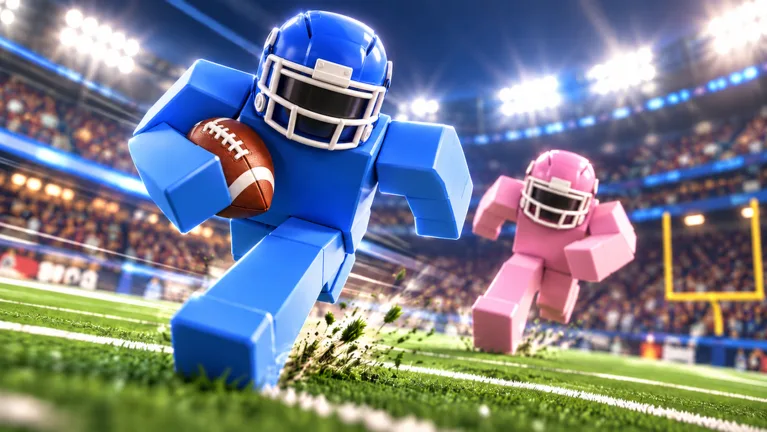
How to Hike in Ragdoll Football
Ragdoll Football hiking starts with a simple input: left-click on PC, tap on mobile, or press RT/R2 on console while playing quarterback. That snap starts your offensive play, so get your bearings before committing. Learn Ragdoll Football hiking alongside the throwing controls, and you can move from starting the play to choosing a receiver without mixing up your inputs.
“Hike” means snapping the ball to begin the play. Your hike button also handles other actions depending on your role and the situation. On PC, for example, left-click covers hiking as the quarterback, tackling, and kicking.
| Platform | Hike input | Passing input |
|---|---|---|
| PC | Left-click as QB | Hold left-click to aim; release to throw |
| Mobile | Tap | Hold still to aim; lift to throw |
| Xbox | RT as QB | Hold RT to aim; release to throw |
| PlayStation | R2 as QB | Hold R2 to aim; release to throw |
Keep the distinction between a press and a hold clear. Hiking starts the play; holding the passing input lets you aim, and releasing it sends the ball.
Before the snap, take a look at your teammates and the defense. Pick a receiver to check after the play begins, then identify another option. Avoid deciding that someone must get the ball before seeing whether that player gets open.
Use this basic sequence:
- Check that you are playing quarterback.
- Look over the field before starting the play.
- Use your platform’s hike input.
- Find an available receiver.
- Hold the throwing input to aim, then release to pass.
Ragdoll Football hiking is only the beginning of the possession. Build the rest of your routine around making a clear decision after that snap.
PC Hiking and Passing Controls
On keyboard and mouse, left-click does a lot of work. Pay attention to whether you are starting the play, aiming a pass, or performing another action.
 Image: Roblox / BloxyBricks
The PC controls below cover the offensive actions and camera tools that matter around the snap.
| Action | PC control |
|---|---|
| Hike as quarterback | Left-click |
| Aim a throw | Hold left-click |
| Throw the ball | Release left-click after aiming |
| Dive / hand off / cancel throw | X |
| Move | WASD |
| Jump | Space |
| Move the camera | Right-click and drag |
| Zoom | Scroll |
Start by separating the snap from your passing decision. Click to hike, read the field, and then hold left-click when you want to aim. Avoid treating every click as a throw, especially while learning the quarterback role.
Use X to cancel a throw when you decide against the pass. Since X also handles diving and handing off, learn that shared control alongside the situations where you use it. Keep the action you intend to perform clear before pressing it.
Set Your View Before the Snap
Use right-click and drag to frame the field, then scroll to adjust your zoom. Choose a view that lets you follow teammates and nearby defenders without constantly correcting the camera.
Keep your intended passing area visible before hiking. If you need a major camera adjustment, make it while you are still preparing the play. After the snap, keep your attention on how the coverage develops.
For Ragdoll Football hiking practice on PC, focus on a clean sequence: snap, look, aim, release. Add movement and more complicated decisions once those inputs feel familiar.
Resist throwing immediately just because the ball is live. Check whether your receiver has space, and use the cancel control if you abandon the throw.
Mobile Hiking: Tap, Aim, and Release
On mobile, tap to hike. Passing uses a different touch action: hold still to aim, then lift to throw.
Learn that distinction before trying to manage movement, camera adjustments, and passing together. A tap starts the play; holding still gives you the aiming action.
| Action | Mobile control |
|---|---|
| Hike / tackle / kick | Tap |
| Aim a throw | Hold still |
| Throw the ball | Lift after aiming |
| Move | Left-side joystick |
| Move the camera | Drag |
| Zoom | Pinch |
| Jump | JUMP button |
| Dive | DIVE button |
Prepare your camera with a drag and pinch before the snap. Frame the area where you expect to look for receivers, then use the joystick to manage your movement once the play starts.
Keep your touch actions deliberate. Practice tapping to hike separately from holding still to aim, especially if you are switching over from keyboard or controller.
Keep Your Offensive Plan Manageable
Start with a receiver you can easily keep in view. Follow that route after the hike, but check the defender’s position before releasing the pass.
If coverage closes around that receiver, look elsewhere. Avoid staying locked onto a teammate simply because you planned to throw there before the snap.
Ragdoll Football hiking on mobile uses the same offensive idea as the other platforms: start the play, assess your options, and make your passing decision. The difference is how you handle those actions through touch controls.
Use the JUMP and DIVE buttons deliberately, too. Practice locating them without losing track of the field, and keep your camera positioned so you can follow the play after moving.
Console Hiking and Quarterback Controls
On Xbox, press RT to hike as the quarterback. On PlayStation, press R2. Hold that same trigger to aim a pass, then release it to throw.
The left trigger cancels a throw: LT on Xbox or L2 on PlayStation. Keep that input in mind when you start aiming at a receiver and then decide against the pass.
| Action | Xbox | PlayStation |
|---|---|---|
| Hike as quarterback | RT | R2 |
| Aim a throw | Hold RT | Hold R2 |
| Throw the ball | Release RT | Release R2 |
| Cancel a throw | LT | L2 |
| Move | Left Stick | Left Stick |
| Move the camera | Right Stick | Right Stick |
| Zoom | D-Pad Up/Down | D-Pad Up/Down |
| Jump | A | Cross |
| Dive / hand off | X | Square |
| Take a knee for a touchback | B | Circle |
Set your camera with the right stick before hiking. Adjust your zoom with the D-pad until you can follow the players you intend to watch.
Keep the right-trigger actions distinct. Press to start the play, then use a deliberate hold when you are ready to aim. Release only after choosing where to send the ball.
Practice Canceling a Pass
Include the cancel input in your quarterback practice. Aim toward a teammate, reassess the coverage, and use LT or L2 when you decide to stop that throw.
Treat canceling as part of making a decision. Avoid releasing a pass merely because you have already started aiming.
For Ragdoll Football hiking on console, pair the trigger controls with a steady camera routine. Frame the play before the snap, follow your options afterward, and keep the cancel button familiar enough to use when your target changes.
Turn the Snap Into a Better Offensive Play
A clean snap gives you a starting point. Build on it with a plan for reading receivers, handling pressure, and coordinating with teammates.
Ragdoll Football uses physical collisions, grabs, and dragging rather than canned tackle animations. Respect nearby defenders when deciding how long to hold the ball, and avoid letting your passing routine turn into standing still while you search indefinitely.
Read the Field Before You Commit
Check where defenders are lined up before hiking. Identify a receiver to watch, then keep another teammate in mind if the initial route draws coverage.
After the snap, reassess instead of forcing your original plan. If two defenders follow one receiver, look for another target. Aim at the space your teammate can reach rather than throwing automatically toward the busiest part of the field.
Keep the down and distance in mind as well. On a play where you need a first down, check where your target is relative to the required yardage before committing.
Avoid turning every possession into a deep-pass attempt. Choose your throw around the opening you can see.
Coordinate With Receivers
Tell teammates when you are preparing to hike. Give them a chance to understand the intended play before starting it.
As a receiver, keep enough separation from teammates to give the quarterback distinct targets. Watch how defenders follow your movement, and avoid crowding another receiver’s route.
If your quarterback starts running, stay engaged with the play. Look for an opportunity to help with a block rather than continuing to call for a pass without checking the ball carrier.
Keep communication specific. Call out where you are on the field instead of repeatedly asking for the ball. Give the quarterback information that helps locate you.
Practice One Decision at a Time
Use each possession to sharpen a particular part of your offense:
- Snap control: Start the play with the correct input for your platform.
- Camera preparation: Put your intended targets in view before hiking.
- Passing control: Aim deliberately and release toward your chosen receiver.
- Changing your mind: Use the PC or console cancel input when abandoning a throw.
- Team awareness: Follow the ball and stay involved after the initial route.
Keep your practice focused on actions you can repeat. Avoid judging the whole possession only by whether it ends in a touchdown.
The game awards XP for big plays and features an overall progression from 60 to 99 OVR. Keep your attention on executing useful plays rather than rushing the snap to chase a highlight.
Use Ragdoll Football hiking as the start of a repeatable offensive routine. Prepare your view, start the play, assess the coverage, and commit to the pass you actually want to make.
Ready to work on the controls? Play Ragdoll Football on Roblox and focus your next quarterback possession on connecting the snap with a deliberate passing decision.
FAQ
What is the Ragdoll Football hiking button?
On PC, left-click while playing quarterback. On mobile, tap. On Xbox, press RT; on PlayStation, press R2. Those inputs also handle tackling and kicking in their respective situations.
How do you throw after hiking?
On PC, hold left-click to aim and release to throw. On mobile, hold still to aim and lift to throw. On Xbox or PlayStation, hold RT or R2 to aim, then release the trigger.
How do you cancel a pass?
Press X on PC, LT on Xbox, or L2 on PlayStation. Practice the cancel control alongside aiming so you can stop a throw when you change your target.
How can you prepare before snapping the ball?
Adjust your camera, locate your receivers, and check the defense. Pick a target to watch and another option to consider, then reassess both after hiking instead of committing to a receiver before the play develops.
Continue with
 Ragdoll Football Kicking Guide: Controls and Key TipsLearn Ragdoll Football kicking controls on PC, mobile, and console. Get practical tips for kick situations, camera setup, and avoiding input mistakes.
More in Offense

Ragdoll Football Cancel Throw: PC and Console Guide
Learn Ragdoll Football cancel throw controls on PC, Xbox, and PlayStation, plus practical quarterback tips for reading coverage and avoiding rushed passes.
Ragdoll Football Catching Guide: Routes and Controls
Improve your Ragdoll Football catching with receiver positioning, camera controls, route tips, and smarter decisions after the catch. Get set for kickoff.
Ragdoll Football Handoff: Controls and Running Tips
Learn Ragdoll Football handoff controls on PC and console, understand shared buttons, and plan cleaner running plays with practical tips for your game.
Ragdoll Football Passing: Controls and Smarter Throws
Improve your Ragdoll Football passing with PC, mobile, and console controls, smarter reads, and practical tips to avoid interceptions and move the chains.
Join the community
Official channels for news, updates and player help: