Ragdoll Football Physics: Tackling and Movement Guide
Master Ragdoll Football physics with tackling, diving, passing, and movement tips. Learn the controls and build better habits for your next Roblox match.
Jump to
How Ragdoll Football Physics Changes Every Play
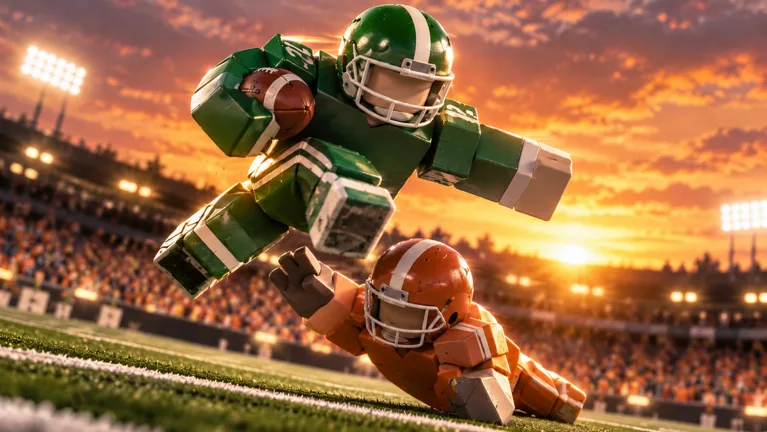
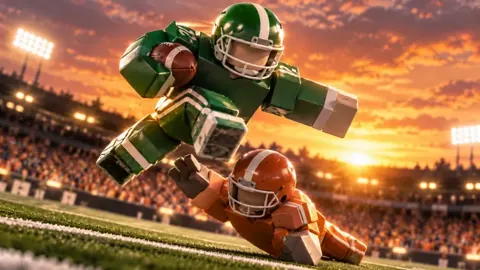
Ragdoll Football physics turns a routine tackle into a full-body collision, with players hitting, grabbing, and dragging each other across the field. Your positioning matters because contact unfolds through body simulation instead of a fixed tackle animation. Learn to work with Ragdoll Football physics, and you can approach tackles, passes, and dives with a clearer plan.
This is the Roblox American football experience: quarterbacks, receivers, touchdowns, and defensive stops. Servers support up to 14 players, giving you plenty to track between the ball, nearby defenders, and teammates moving into space.
The central mechanic is physical contact. Bodies react during tackles, so the action can look messy even when the objective is straightforward: stop the runner or reach the end zone.
| Mechanic | What happens | Your immediate objective |
|---|---|---|
| Tackling | Players hit, grab, and drag opponents through physics | Get into position to contact the ball carrier |
| Passing | Hold the action button to aim, then release to throw | Find an open receiver before releasing |
| Diving | Your player dives using a dedicated input | Time the move around the play |
| Progression | Big plays award XP toward overall rating | Contribute on offense and defense |
Separate the spectacle from your next decision. After a collision, locate the ball and check where the play is going. Avoid following a tumbling player while an open receiver moves behind you.
Start with controlled movement and straightforward plays. Give yourself room to recognize what happened before trying another dramatic hit. Learning Ragdoll Football physics means understanding the situation around the collision as well as the collision itself.
Learn the Controls Before Chasing Highlights
Several buttons change function with your role or possession. Left click can tackle, hike, or kick; holding it aims a throw. X handles diving, handing off, and canceling a throw.
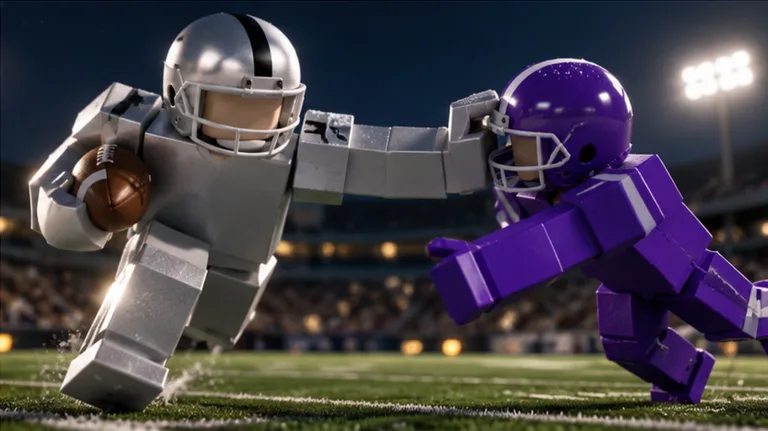 Image: Roblox / BloxyBricks
Learn those distinctions before trying to make decisions under pressure.
PC Controls
| Action | PC input |
|---|---|
| Move | WASD |
| Jump | Space |
| Tackle / hike as quarterback / kick | Left click |
| Aim and throw | Hold left click, then release |
| Dive / hand off / cancel throw | X |
| Take a knee for a touchback | V |
| Move the camera | Right click and drag |
| Zoom | Scroll |
When you become quarterback, hold left click to aim and release it to pass. Use X to cancel the throw when you decide against it.
On defense, focus on movement and the tackle input. Practice approaching a ball carrier while keeping them in view, then attempt the tackle. Avoid pressing several action buttons together while you are still learning their functions.
Mobile and Console Controls
| Action | Mobile | Xbox / PlayStation |
|---|---|---|
| Move | Left-side joystick | Left stick |
| Camera | Drag | Right stick |
| Zoom | Pinch | D-pad up/down |
| Jump | JUMP button | A / Cross |
| Tackle / hike / kick | Tap | RT / R2 |
| Aim and throw | Hold still to aim, lift to throw | Hold RT / R2, then release |
| Dive | DIVE button | X / Square |
Console players can also use X/Square to hand off, LT/L2 to cancel a throw, and B/Circle to take a knee for a touchback. Y/Triangle opens menus.
Use the camera controls deliberately on every platform. Before moving toward contact, frame the ball carrier and the space around them. Before passing, bring your intended receiver into view.
Ragdoll Football physics can fill the screen with bodies during a collision. Adjust your view to follow the active play, especially when possession changes or a runner breaks away.
Make Tackles With Better Angles and Timing
The appeal of Ragdoll Football physics is obvious when a tackle sends players sprawling. Build your defensive habits around reaching the runner, though, rather than producing the wildest-looking collision.
Approach the Runner’s Path
Move toward a point along the ball carrier’s route instead of following directly behind their current position. Watch where they turn and adjust your approach before committing to contact.
For example, when a runner heads toward the sideline, angle toward their path. Avoid repeatedly steering toward where they were a moment earlier. Keep watching their movement as you close the gap.
Use the tackle input when you have positioned yourself for contact. After a miss, turn back toward the play and reassess instead of immediately repeating the same approach.
Use Dives With a Specific Target
Diving is a separate action from tackling. Use it deliberately when attempting a diving stop or stretching toward a play.
Before pressing the dive button, identify your target. Watch the ball carrier, their direction, and your approach. Avoid diving simply because an opponent has entered your screen.
Keep practicing ordinary approaches alongside dives. Learn to reach the runner through movement before making the dive your response to every chase.
Keep Coverage in Mind
Defense also includes following receivers and contesting passes. Resist moving every defender toward the quarterback while receivers spread downfield.
When covering someone, keep both their route and the quarterback’s options in mind. Move with the receiver, then react to the throw. Avoid abandoning coverage solely to chase a possible hit.
Use this checklist between defensive plays:
- Find the ball before choosing a target.
- Check for receivers moving into open space.
- Approach the runner’s path.
- Commit to a tackle or dive with a clear target.
- Return your attention to the ball after contact.
For a longer defensive challenge, work toward the Anchor badge, which requires 10 tackles in a single game. Focus on completing stops throughout the match rather than forcing every tackle opportunity.
Pass, Receive, and Run With a Clear Plan
Offense gives you several ways to contribute. You can aim passes, create separation as a receiver, or carry the ball through open space.
Apply your understanding of Ragdoll Football physics before contact arrives. Read the field, choose your action, and keep track of nearby defenders.
Quarterback: Aim Before Releasing
Hold the throwing input to aim, identify your receiver, and release to send the ball. Keep the distinction between aiming and throwing clear while learning the controls.
Look for an open teammate rather than immediately targeting the farthest player downfield. Check the defenders around that receiver before committing.
If you decide against a pass, cancel it with X on PC or LT/L2 on console. Then reassess the field.
Try this sequence whenever you get a chance at quarterback:
- Locate your receivers.
- Check which defenders are covering them.
- Hold the throwing input and aim.
- Release toward your chosen receiver, or cancel and reassess.
Avoid rushing the throw just because a teammate is calling for the ball. Choose the target based on the space you can see.
Receiver: Create a Visible Passing Option
Move into open space and keep nearby defenders in view. Give the quarterback a clear target instead of remaining surrounded by coverage.
When another receiver attracts defenders, look for room elsewhere. Avoid crowding the same area and bringing additional defenders toward a teammate.
Track the pass as it approaches. Use movement, jumping, and diving deliberately rather than pressing everything at once. Keep the ball visible through your camera adjustments.
Ball Carrier: Choose Space Before Contact
Look upfield for room to advance. Use changes of direction to attempt jukes, and watch how defenders adjust before choosing your next move.
When you have space, keep moving toward the objective. Avoid turning back toward defenders simply to attempt another juke.
Make each action serve the play. Choose a direction, watch the nearest defender, and decide whether to continue running or attempt a dive. Keep your attention on advancing the ball.
Turn Physics Practice Into Meaningful Progress
Your overall rating starts at 60 and can climb to 99. Big plays earn XP, giving you a reason to contribute on both sides of the ball.
Build your Ragdoll Football physics practice around actions you can recognize and repeat: lining up a tackle, aiming a pass, tracking a receiver, and locating the ball after contact.
Work on One Decision at a Time
Choose a focus before each opportunity. On defense, concentrate on your approach angle. As quarterback, concentrate on finding an open target before releasing. As a receiver, concentrate on creating space.
After the play, review that decision. Did you run behind the ball carrier? Did you throw toward a covered teammate? Did you lose sight of the ball while moving the camera?
Use the next opportunity to adjust that specific habit. Avoid changing every part of your play at once.
Use Badges as Concrete Goals
The game includes achievements tied to specific football actions. Pick a target that matches the role you want to practice.
| Badge | Unlock requirement |
|---|---|
| Pick 6 | Intercept a pass and return it for a touchdown |
| Hat Trick | Record 3 interceptions in one game |
| 300 Yards | Record 300 passing yards in one game |
| Anchor | Record 10 tackles in one game |
| 200 Yards | Record 200 receiving yards in one game |
Keep those objectives separate from individual decisions. When working toward passing yards, continue looking for open receivers. When chasing interceptions, maintain coverage instead of abandoning your assignment for every throw.
For tackling practice, focus on getting into position throughout the match. For receiving practice, keep creating passing options even after a play goes elsewhere.
Bring those habits into Ragdoll Football on Roblox. Learn the buttons, follow the ball, and make each tackle, pass, or dive a deliberate choice.
FAQ
How does Ragdoll Football physics work?
Tackles use body physics instead of fixed tackle animations. Players can hit, grab, and drag opponents during contact. Use positioning and timing to approach those collisions with a clear target.
How do you tackle and dive on PC?
Use left click to tackle and X to dive. WASD controls movement, while Space jumps. Practice moving into the runner’s path before committing to either action.
How do you aim and throw a pass?
On PC, hold left click to aim and release it to throw. On console, hold RT/R2 and release. Mobile uses a hold-still aiming action followed by lifting to throw.
How do you increase your overall rating?
Earn XP through big plays. Your rating begins at 60 OVR and can rise to 99. Work on contributing through passing, receiving, defensive stops, and scoring plays.
Continue with
 Ragdoll Football Beginner Guide: Controls and Winning TipsThis Ragdoll Football beginner guide covers PC, mobile, and console controls, smarter tackles, passing tips, and the basics of earning XP. Hit the field!
More in Guide
See all GuidePopular pages
Ragdoll Football Camera Controls: PC, Mobile & Console
Learn Ragdoll Football camera controls for PC, mobile, and console, including how to rotate the view, adjust zoom, and keep the ball in sight during plays.
Ragdoll Football Diving: Controls and Defensive Tips
Master Ragdoll Football diving controls on PC, mobile, and console. Learn how to time your approach, line up tackles, and defend without overcommitting.
Ragdoll Football Black Visor: Price and Gear Guide
Get the Ragdoll Football black visor for 50 Robux. Compare visor colors, check other gear prices, and learn the controls for your next game on Roblox now.
Ragdoll Football Cancel Throw: PC and Console Guide
Learn Ragdoll Football cancel throw controls on PC, Xbox, and PlayStation, plus practical quarterback tips for reading coverage and avoiding rushed passes.
Join the community
Official channels for news, updates and player help: