
Ragdoll Football PlayStation Controls: Complete Guide
Learn Ragdoll Football PlayStation controls for passing, tackling, diving, and kicking. Use this button guide to handle every snap and sharpen your game.
Jump to

What Are the Ragdoll Football PlayStation Controls?
One rushed trigger press can turn a planned pass into a throw you wish you could take back. Learn the Ragdoll Football PlayStation controls so you can handle the snap, find your receiver, and react when the play breaks down. The key to the Ragdoll Football PlayStation controls is understanding R2: press it for tackling, hiking, or kicking, then hold and release it when throwing.
Here is the console layout for Roblox’s Ragdoll Football as of October 15, 2026:
| Action | PlayStation input |
|---|---|
| Move | Left Stick |
| Move the camera | Right Stick |
| Zoom | D-Pad Up / Down |
| Jump | Cross |
| Dive / Hand off | Square |
| Tackle | R2 |
| Hike as quarterback | R2 |
| Kick | R2 |
| Aim a throw | Hold R2 |
| Release a throw | Release R2 |
| Cancel a throw | L2 |
| Take a knee for a touchback | Circle |
| Open menus | Triangle |
Start by separating movement, ball actions, and situational actions in your head. The sticks handle movement and your view. Cross and Square cover jumping, diving, and handing off. The triggers handle the main throwing sequence, with L2 giving you a way to cancel.
Remember that the Cross button and the keyboard X key are different inputs. On PlayStation, Cross jumps and Square dives or hands off. Mixing those up is an easy mistake when switching between a keyboard guide and a controller.
Keep the table nearby while learning. Focus on the action you need for your current role instead of trying to memorize every possible use of each button at once.
Official page: Ragdoll Football (roblox.com)
How to Hike, Aim, Throw, and Cancel a Pass
Quarterback play brings several Ragdoll Football PlayStation controls together. R2 handles the hike and the throwing input, while L2 cancels a throw. Learn those actions as a sequence so your hands stay deliberate when defenders close in.
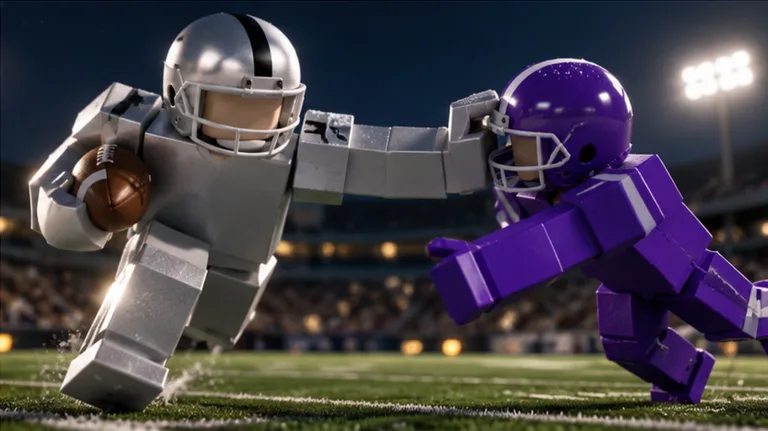 Image: Roblox / BloxyBricks
Build the passing sequence
| Passing action | Input | Practice focus |
|---|---|---|
| Hike as quarterback | Press R2 | Recognize the snap action separately from throwing |
| Aim the pass | Hold R2 | Keep the trigger held while preparing your throw |
| Throw the ball | Release R2 | Make the release a deliberate decision |
| Cancel the throw | Press L2 | Stop a throw you no longer want to make |
Begin with the basic rhythm: hike, prepare the pass, then release. Avoid squeezing and releasing R2 repeatedly while deciding what to do. The release is the throwing command, so treat lifting your finger as part of the play.
Use the camera to keep your intended receiver and nearby defenders in view. Look for space before committing to the release. If a defender moves into the lane you wanted, press L2 to cancel the throw.
Keep your finger on R2 until you intend to throw, or use L2 to cancel. Releasing the trigger is not the same action as backing out of a pass.
Practice canceling before you need it
Work L2 into your passing practice from the beginning:
- Hold R2 to aim a throw.
- Press L2 to cancel.
- Prepare another throw when you have a target.
- Release R2 when you intend to pass.
This exercise follows the same controls you use during a game. Its purpose is to make cancellation familiar before you face pressure.
Keep your throwing practice focused on decisions as well as buttons. Pick an intended receiver, check the space around that player, and then commit. When the picture changes, use the cancel input instead of forcing the original pass.
Ragdoll Football also lets you hand off with Square. Remember that option alongside the throwing controls, but keep its input distinct: Square handles the handoff, while L2 cancels a throw on PlayStation.
Tackling, Diving, Jumping, and Other Situational Actions
On defense, start with Left Stick movement and R2 tackling. Move toward the ball carrier, keep the runner visible, and press R2 when attempting the tackle. Practice tracking the runner before adding more actions to the sequence.
Ragdoll Football uses physics-based contact, including bodies hitting, grabbing, and dragging. Give yourself a clear view of the approach so you can judge where the runner is going.
The Ragdoll Football PlayStation controls also give Square multiple jobs. It dives or hands off, depending on the situation. R2 follows the same pattern, covering several football actions through one trigger.
| Situation or action | Button | What to remember |
|---|---|---|
| Attempting a tackle | R2 | Use the trigger assigned to tackling |
| Hiking as quarterback | R2 | The same trigger also starts the play |
| Kicking | R2 | Keep the kicking situation separate from passing |
| Diving or handing off | Square | Associate the button with your current action |
| Taking a knee for a touchback | Circle | Remember this input for the touchback situation |
Keep jumping and diving separate
Cross jumps. Square dives. Practice each on its own before trying to use both during a crowded play.
Move with the Left Stick and press Cross to learn the jump input. Then practice the Square dive separately. Keep your attention on which action you intended to perform; accidental button swaps are easier to recognize when you are learning one action at a time.
Avoid treating the dive as your default response to every nearby opponent. Use R2 when you intend to tackle, and Square when you intend to dive. Clear input choices make it easier to understand what happened after a missed play.
Remember the touchback button
Circle takes a knee for a touchback. Put it in your mental checklist alongside kick and handoff, even though those actions use different buttons.
Keep the labels specific: Circle means take a knee; Triangle means menus. Those neighboring face buttons serve very different purposes, so rehearse their names before trying to find them in a hurry.
Camera Controls and PlayStation Button Names
The camera deserves attention alongside the throwing and tackling inputs. The Right Stick moves your view, while D-Pad Up and Down control zoom.
Use the Right Stick to bring the play into view before preparing an action. Adjust zoom until you can comfortably follow the ball and nearby players. Make deliberate adjustments while learning, then return your attention to movement and the next football action.
Practice moving with the Left Stick while changing your view with the Right Stick. Keep the actions simple at first: move, adjust the camera, and find the part of the field you want to watch.
Reading shared console instructions
Console instructions sometimes pair Xbox and PlayStation labels. Read each pair as equivalent controller labels:
- A / Cross: jump.
- X / Square: dive or hand off.
- RT / R2: tackle, hike, kick, or hold to aim a throw.
- LT / L2: cancel a throw.
- B / Circle: take a knee.
- Y / Triangle: menus.
The confusing pair is Xbox X and PlayStation Square. If you see “X” in shared console instructions, check which controller label it represents before pressing Cross.
For the Ragdoll Football PlayStation controls, memorize the PlayStation names directly. Saying “Square to dive” is clearer than translating from another controller every time.
Triangle opens menus. Use that input when you want the menus, then return your attention to the field controls when resuming play. Keeping menu navigation separate from your action-button practice reduces unnecessary confusion.
A Practical Routine for Learning the Controls
Learn the Ragdoll Football PlayStation controls in small groups. Start with movement and the camera, add individual football actions, and finish with the quarterback sequence.
Use this routine as a checklist:
| Practice group | Inputs to rehearse | Goal |
|---|---|---|
| Movement and view | Left Stick, Right Stick, D-Pad Up / Down | Move while keeping the play visible |
| Face-button actions | Cross, Square, Circle, Triangle | Connect each button with its action |
| Shared trigger actions | R2 for tackle, hike, and kick | Recognize the action required by the situation |
| Passing sequence | Hold R2, release R2, L2 | Separate aiming, throwing, and canceling |
Start with movement and visibility
Move around while adjusting the camera. Find a comfortable zoom, then practice keeping the area ahead of your character visible.
Add Cross once the sticks feel manageable. Follow with Square as a separate exercise. Keep the goal simple: press the button that matches the action you intended.
Add actions one at a time
Rehearse R2 with the action you are currently learning. When defending, think “tackle.” When quarterbacking, think through the hike and throwing sequence. When kicking, associate R2 with the kick.
This keeps the shared trigger from becoming a vague “do something” button. Name the action before pressing it while practicing.
For passing, alternate between completing a throw and canceling one. Hold R2, decide what you intend to do, then either release to throw or press L2 to cancel.
Check the input after a mistake
When an action goes wrong, review the button choice before adding more inputs:
- If you jumped while trying to dive, check Cross versus Square.
- If you released a pass while trying to cancel, rehearse L2.
- If you opened menus while trying to take a knee, check Triangle versus Circle.
- If you lost sight of the play, practice the Right Stick and zoom controls.
Keep the Ragdoll Football PlayStation controls table handy until these distinctions feel familiar. After each play, pick one input to improve on the next attempt. Build accuracy with the buttons, then work on combining movement, visibility, and football decisions.
FAQ
How do you throw with the Ragdoll Football PlayStation controls?
Hold R2 to aim your throw, then release R2 to throw the ball. Press L2 to cancel the throw. As quarterback, R2 also handles the hike, so practice the snap and passing actions as a deliberate sequence.
What button tackles in Ragdoll Football on PlayStation?
Press R2 to attempt a tackle. Move with the Left Stick and use the Right Stick to keep the ball carrier in view as you approach.
How do you dive or hand off on PlayStation?
Press Square to dive or hand off, depending on the situation. Cross is the jump button. Remember that PlayStation Square corresponds to Xbox X when reading shared console controls.
How do you take a knee for a touchback?
Press Circle to take a knee for a touchback. Triangle opens menus, so keep those two face-button assignments separate when learning the layout.
Continue with
 Ragdoll Football Xbox Controls: Buttons and Pass TipsLearn Ragdoll Football xbox controls for passing, tackling, diving, and kicking. Use the full Xbox button layout and practical tips to handle every play.
More in Controls
Ragdoll Football Camera Controls: PC, Mobile & Console
Learn Ragdoll Football camera controls for PC, mobile, and console, including how to rotate the view, adjust zoom, and keep the ball in sight during plays.
Ragdoll Football Controls: PC, Mobile & Console Guide
Learn Ragdoll Football controls for PC, mobile, Xbox, and PlayStation. Master throwing, tackling, diving, and camera movement before your next game starts.
Ragdoll Football Mobile Controls: Touchscreen Guide
Learn Ragdoll Football mobile controls for tackling, throwing, jumping, and camera movement. Get practical touch tips for your next Roblox football game.
Join the community
Official channels for news, updates and player help: