
Ragdoll Football Xbox Controls: Buttons and Pass Tips
Learn Ragdoll Football xbox controls for passing, tackling, diving, and kicking. Use the full Xbox button layout and practical tips to handle every play.
Jump to

What Are the Ragdoll Football Xbox Controls?
One rushed trigger release can send your pass away before you're ready. Ragdoll Football Xbox controls put tackling, hiking, kicking, and throwing on RT, so your role determines what that trigger does. Learn the Ragdoll Football Xbox controls below to keep your attention on the field when possession changes.
The central inputs are straightforward: move with the Left Stick, jump with A, and use X to dive or hand off. When you're throwing, hold RT to aim and release RT to throw. Press LT to cancel the throw.
| Action | Xbox control |
|---|---|
| Move | Left Stick |
| Move the camera | Right Stick |
| Zoom | D-Pad Up / Down |
| Jump | A |
| Dive / Hand off | X |
| Tackle | RT |
| Hike as quarterback | RT |
| Kick | RT |
| Aim and throw | Hold RT to aim; release to throw |
| Cancel throw | LT |
| Take a knee for a touchback | B |
| Open menus | Y |
The shared buttons deserve the most attention. RT handles several football actions, while X handles both diving and handing off. Learn each button together with its situation: quarterback before the play, quarterback preparing a pass, defender approaching the runner, or player preparing a kick.
Ragdoll Football uses physical collisions, grabs, and dragging during tackles. Give yourself room to read the action instead of watching only your character. A clear view of the runner and nearby defenders helps you decide which input you need next.
Start by memorizing RT, LT, and X. Those Ragdoll Football Xbox controls cover several decisions that happen quickly: starting the play, preparing a pass, abandoning it, and diving or handing off.
How to Hike, Aim, Throw, and Cancel on Xbox
At quarterback, RT takes you from the snap into the passing action. Use it to hike, then hold it when preparing your throw. Release the trigger when you're ready to send the ball.
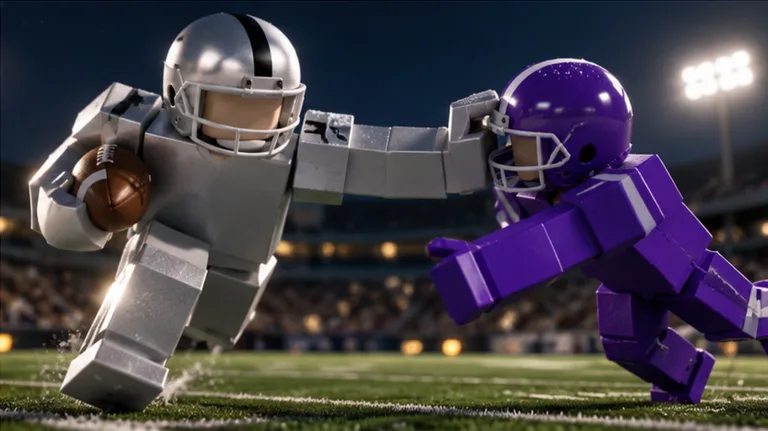 Image: Roblox / BloxyBricks
Keep the sequence deliberate. Read the field, identify a receiver, and remember that letting go of RT commits the throw. If you decide against the pass, use LT to cancel it.
| Quarterback action | Input | What it does |
|---|---|---|
| Hike | RT as quarterback | Hikes the ball |
| Prepare a pass | Hold RT | Aims the throw |
| Send the pass | Release RT | Throws the ball |
| Abandon the throw | LT | Cancels the throw |
Separate aiming from throwing
Think of holding and releasing as separate decisions. Hold RT while preparing the pass; release it when you've chosen the throw.
Before releasing, look at the space around your intended receiver. Favor a receiver with separation instead of forcing the ball toward someone surrounded by defenders. Watch nearby coverage as well as the receiver's position.
Avoid assuming that holding RT longer adds power. Use the hold to prepare your aim and choose your opportunity. Keep your practice focused on the actions attached to the trigger.
Keep LT ready
LT is an important part of the Ragdoll Football Xbox controls because it gives you a dedicated cancel input. When coverage closes around your target, cancel the throw and reassess the field.
Practice that decision as deliberately as you practice passing. Prepare a throw, decide against it, and press LT. Learning to cancel without searching for the button helps you stay focused on the play.
Remember the handoff button
X handles handing off as well as diving. Associate that input with the situation you're in, especially when switching between carrying the ball and defending.
When practicing quarterback controls, work through the decisions separately:
- Use RT to hike.
- Hold RT to prepare a pass.
- Release RT to throw.
- Use LT when you want to cancel.
- Remember X for handing off.
Keep your early passing attempts simple. Choose visible targets and work on making intentional releases before trying crowded throws.
Tackling, Diving, and Tracking the Ball
On defense, RT tackles and X dives. Keep those inputs distinct in your memory so you can choose an action while watching the ball carrier.
Approach the runner with the Left Stick and keep the camera pointed toward the play. Aim your movement toward where the runner is heading. Chasing directly behind someone gives you less opportunity to meet them along their route.
Ragdoll Football Xbox controls are easier to manage when your camera and movement support the tackle. Before reaching for RT, check whether you're actually approaching the carrier or drifting past them.
Line up before committing
Use your approach to reduce the amount of correction you need at contact. Watch the runner's direction, move into their path, and use the tackle input when you're in position to challenge them.
Keep your eyes on the ball carrier after the collision. The game's physical tackles involve bodies hitting, grabbing, and dragging, so follow the action through instead of immediately looking elsewhere.
The Anchor badge gives defenders a concrete target: record 10 tackles in one game. Use that objective to organize your practice around tracking runners and getting involved in plays.
Keep jump and dive separate
A jumps; X dives. Practice finding both buttons without looking at the controller.
Use the game's movement to judge when you need each action. Avoid pressing jump and dive interchangeably just because a play is getting away from you. Choose an input deliberately, then watch how your character moves.
Follow the pass before chasing the return
When defending a pass, keep the ball's path and the receiver in view. Move toward the developing play instead of continuing to follow the quarterback after the throw.
The Pick 6 badge requires an interception returned for a touchdown. After securing an interception, look upfield for space and nearby defenders before choosing your running direction.
For receiving practice, focus on tracking the pass and reaching useful space. Keep the camera pointed toward the incoming play so you can follow the ball rather than spending the whole route correcting your view.
Movement, Camera, and Keyboard Differences
The Left Stick moves your player, while the Right Stick moves your camera. D-Pad Up and Down adjust zoom. Treat those camera inputs as part of your football controls: you need to see the play to make a useful decision.
Adjust your view so you can follow nearby opponents and the space ahead. Before a play develops, point the camera toward the area you need to watch. During a run, keep the route ahead visible instead of letting the camera trail off to one side.
Practice moving and turning the camera together. Start with simple changes of direction, then work on following a moving player while keeping your own route under control.
Don't carry keyboard bindings onto Xbox
The keyboard layout uses different inputs, including one difference that matters when you're preparing a pass: keyboard X cancels a throw, but Xbox LT cancels it.
| Action | Xbox | Keyboard and mouse |
|---|---|---|
| Jump | A | Space |
| Dive / Hand off | X | X |
| Tackle / Hike / Kick | RT | Left Click |
| Aim and throw | Hold RT, then release | Hold Left Click, then release |
| Cancel throw | LT | X |
| Take a knee | B | V |
When learning Ragdoll Football Xbox controls, pair each action with the controller button rather than memorizing keyboard letters. The shared X label can be particularly confusing because it covers an additional action on PC.
Keep the remaining buttons organized
B takes a knee for a touchback. Y opens menus. Keep those actions separate from your movement and passing inputs.
For kicking, remember that RT is also the kick button. Rehearse the association before your next kicking opportunity so you're ready to focus on the play.
Use this compact mental checklist:
- Sticks: movement and camera.
- D-Pad Up / Down: zoom.
- A and X: jump, dive, and handoff actions.
- RT and LT: primary football actions and throw cancellation.
- B and Y: touchback knee and menus.
Practice the Controls With Clear Football Goals
Learn the Ragdoll Football Xbox controls in small groups. Begin with movement and camera, add defensive actions, then work through the quarterback sequence. Trying to remember the entire layout during one hectic possession makes it harder to notice which input needs practice.
Use a short routine whenever you have an opportunity to work on the relevant action:
- Move with your view under control. Keep the direction of play visible while using the Left Stick.
- Locate jump and dive. Find A and X without looking down.
- Follow a runner. Practice your approach before using RT to tackle.
- Work through passing decisions. Hold RT to aim, release to throw, and use LT to cancel.
- Recall situational inputs. Keep RT for kicking and B for a touchback knee in mind.
Ragdoll Football awards XP for big plays and features progression from 60 to 99 OVR. Its badges also provide specific football objectives you can pursue while becoming comfortable with the controller.
| Badge | Requirement |
|---|---|
| Anchor | Record 10 tackles in one game |
| 300 Yards | Record 300 passing yards in one game |
| 200 Yards | Record 200 receiving yards in one game |
| Hat Trick | Make 3 interceptions in one game |
| Pick 6 | Return an interception for a touchdown |
Choose an objective that matches the role you're practicing. Work on quarterback inputs while pursuing passing yards, or focus on tracking and tackling when defending. Keep the badge requirement in mind without forcing every play toward it.
When a play goes wrong, identify the decision behind it. Did you release RT before choosing your target? Did you need LT to cancel? Did your camera lose the runner? Correct that specific habit on your next opportunity.
Once the Ragdoll Football Xbox controls feel familiar, keep your attention on space, coverage, and possession. You can play Ragdoll Football on Roblox and put each group of inputs into practice.
FAQ
What are the main Ragdoll Football Xbox controls?
Use the Left Stick to move, Right Stick for the camera, A to jump, and X to dive or hand off. RT tackles, hikes, kicks, and handles throwing. LT cancels a throw, B takes a knee for a touchback, and Y opens menus.
How do you throw the ball on Xbox?
Hold RT to aim, then release RT to throw. Use RT to hike when you're the quarterback. If you decide against your prepared pass, press LT to cancel it.
Does X cancel a throw on Xbox?
LT cancels throws on Xbox. X handles diving and handing off. Keyboard X also cancels throws, so remember the controller's separate LT input when switching platforms.
How do you tackle and take a touchback?
Use RT to tackle. Press B to take a knee for a touchback. Keep X in mind as the separate dive input when learning your defensive movement.
Continue with
 Ragdoll Football Camera Controls: PC, Mobile & ConsoleLearn Ragdoll Football camera controls for PC, mobile, and console, including how to rotate the view, adjust zoom, and keep the ball in sight during plays.
More in Controls
Ragdoll Football Controls: PC, Mobile & Console Guide
Learn Ragdoll Football controls for PC, mobile, Xbox, and PlayStation. Master throwing, tackling, diving, and camera movement before your next game starts.
Ragdoll Football Mobile Controls: Touchscreen Guide
Learn Ragdoll Football mobile controls for tackling, throwing, jumping, and camera movement. Get practical touch tips for your next Roblox football game.

Ragdoll Football PlayStation Controls: Complete Guide
Learn Ragdoll Football PlayStation controls for passing, tackling, diving, and kicking. Use this button guide to handle every snap and sharpen your game.
Join the community
Official channels for news, updates and player help: